

Don't just translate words. Translate meaning.
Context is the difference between a high-quality product and a confusing mess. Crowdin harvests context from your code, design, and assets automatically, so your linguists never have to guess.
The "Blind Translation" problem
Translating in the dark is expensive
Ambiguity
"Home" could mean a house, a dashboard button, or a destination. Without context, translators guess.
UI Breaks
Without character limits or visual previews, translations break your layout.
Endless Q&A
Developers waste hours answering basic questions from linguists.
Clarity at every level
Visual Proof
Screenshots and previews show exactly where text lives.
Code Awareness
Comments from your code are automatically pulled into the editor.
Consistent Terminology
Glossaries ensure your brand voice is identical across 20 languages.
Extract context directly from your code.
You've already written descriptions in your code. The Crowdin Context Harvester CLI scans your repository, extracts code comments and usage examples, and attaches them to your source strings automatically.
Context Harvester CLIAgentic AI
Analyzes your codebase to describe how each key is used, like "Button label on the login screen."
Control
Review extracted notes before linguists see them. Publish only the context you approve.
Visual context: see it to believe it
Give translators a window into your product.
Mobile & Static
Automatically tag screenshots with source strings. When a translator clicks a text segment, they see the exact screen it belongs to.
Web Apps (In-Context Overlay)
Let translators work directly on your live website. The In-Context Overlay shows real-time changes in a WYSIWYG mode on your actual interface.
Learn more about In-Context LocalizationBuild your organizational memory.
Ensure consistency even if you change translation teams.
Translation Memory (TM)
"Previously translated as..." suggestions mean you never pay for the same phrase twice.
Glossaries
Define key terms like "Checkout" vs "Cart." AI Glossaries draft definitions automatically.
Style Guides
Attach PDFs or links so tone and voice stay consistent even as teams change.
Where it all comes together
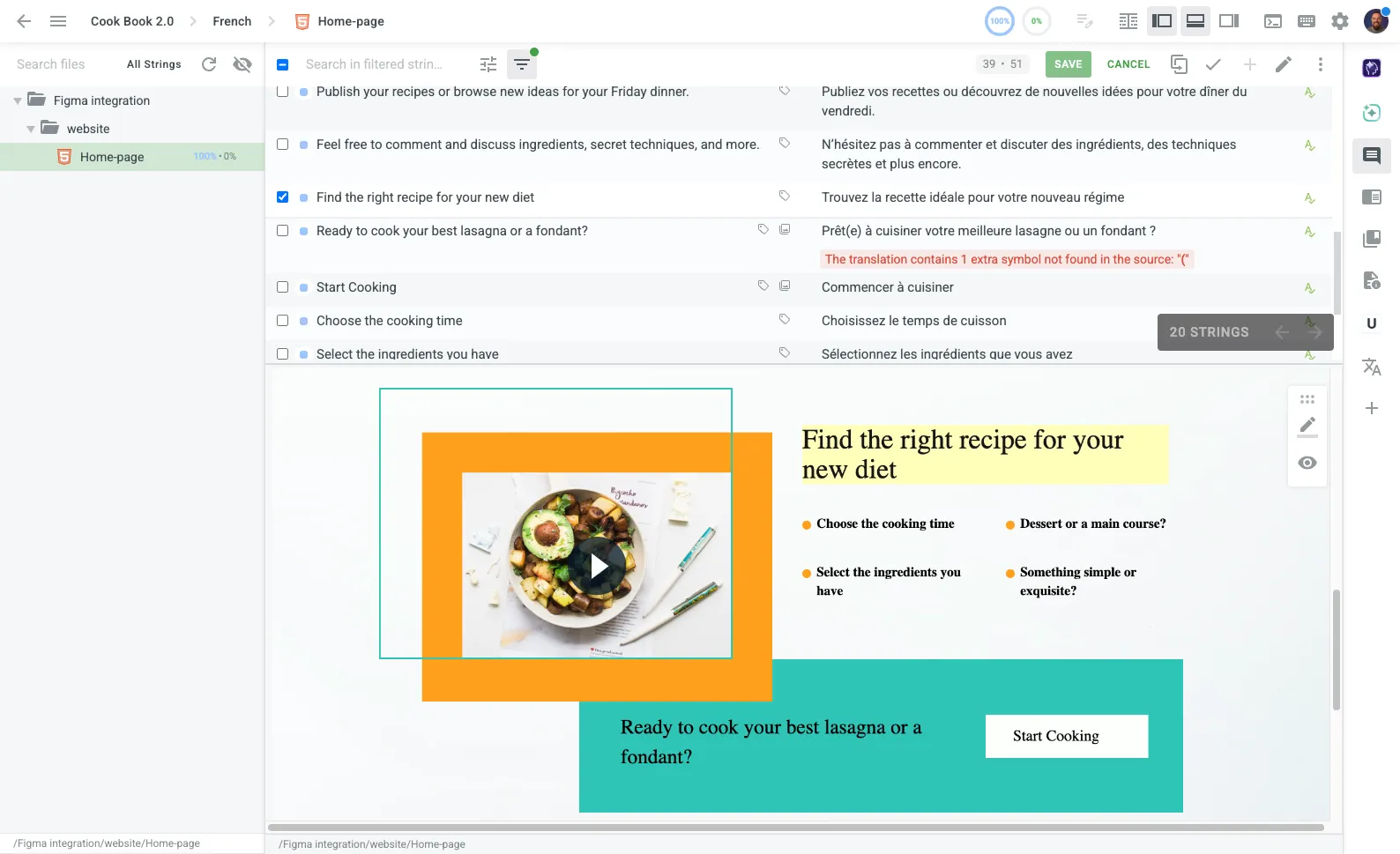
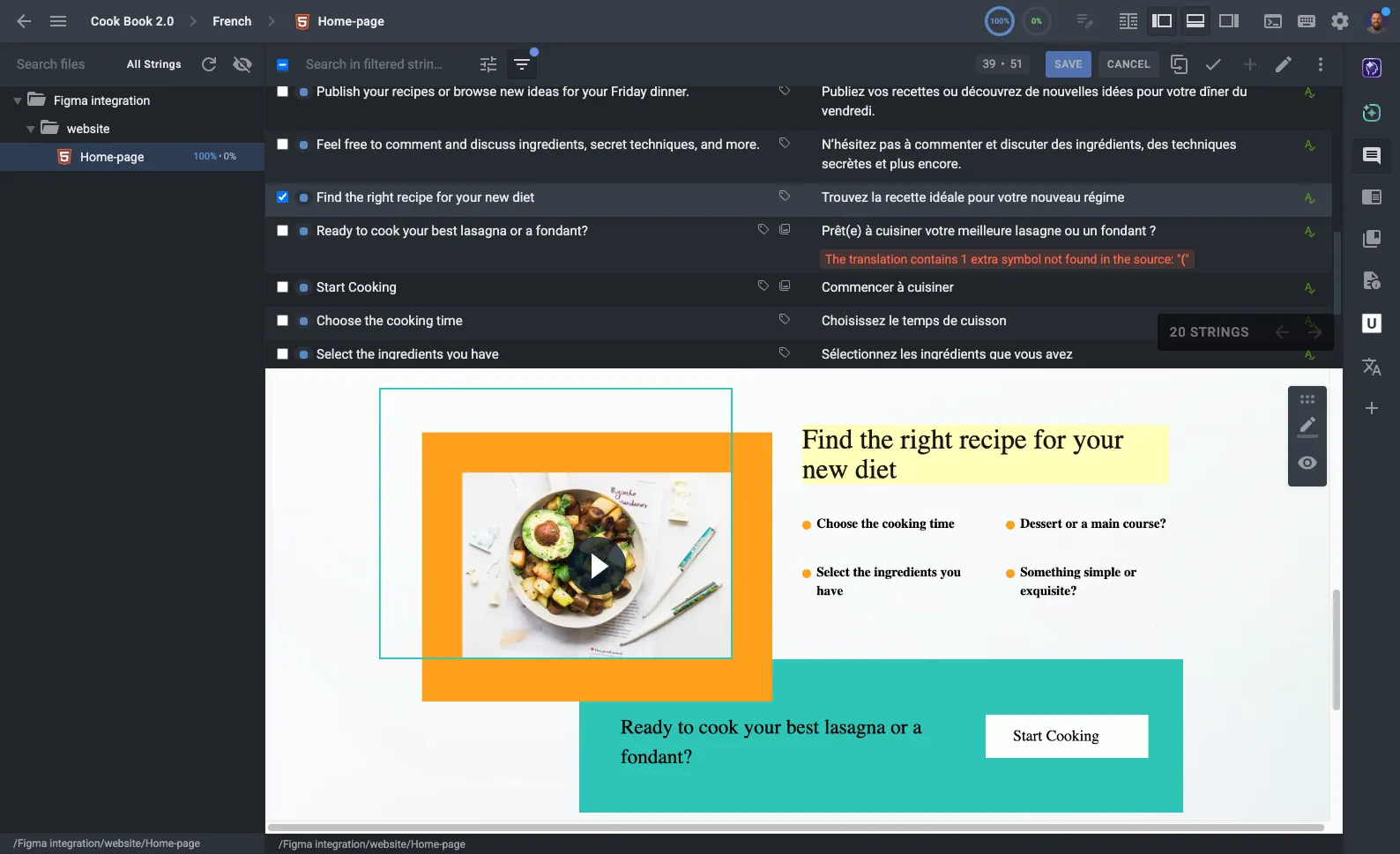
The Crowdin Editor is the cockpit where all harvested context is presented to the linguist.
- Real-time preview renders documents and HTML as you type.
- Inline warnings keep placeholders, lengths, and terminology intact.
Context for every stack
Stop fixing bad translations. Start preventing them.
Harvest context automatically so quality is baked in from day one.